Google Business Profile Suspended? How to Get Reinstated (Guide)
Revised August 29, 2026
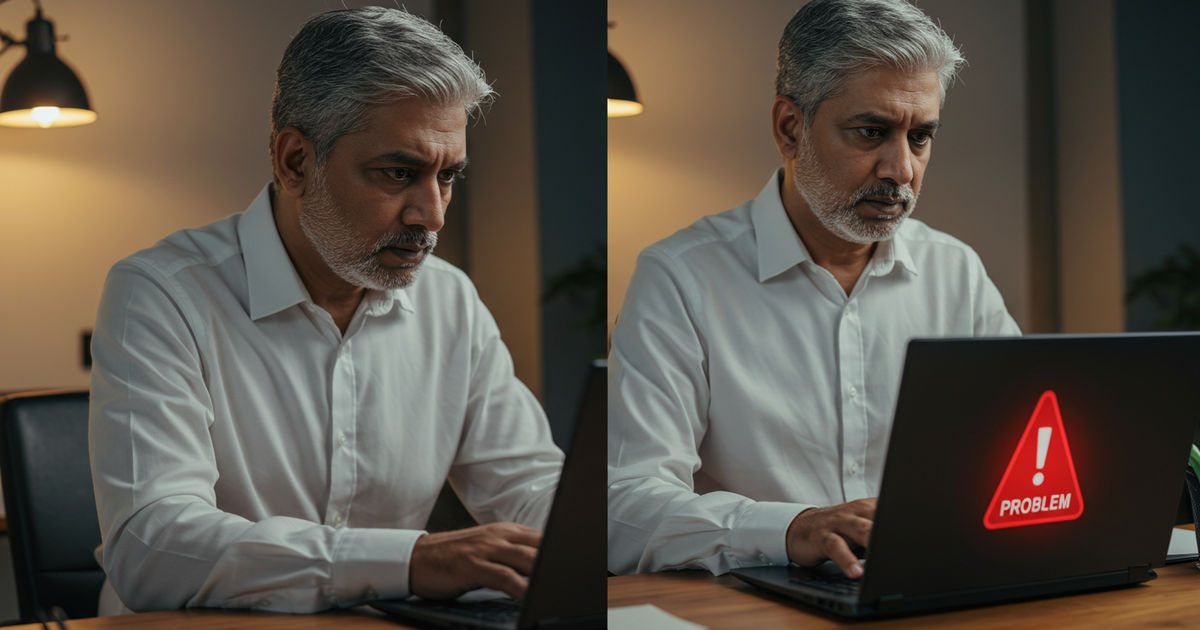
Why did my Google Business Profile get suspended?
If your Google Business Profile is suspended, stop making edits, identify the rule that likely triggered it, fix the underlying issue, and submit one thorough reinstatement request with proof you’re a real, legitimate business. Common causes include too many rapid edits, a keyword-stuffed name, no physical presence, or duplicate listings (Sterling Sky, 2026).
Keep reading ↓Few things rattle a St. Louis business owner faster than logging in to find your Google Business Profile suspended — or worse, discovering it vanished from Google Maps entirely, taking your reviews, your visibility, and a big share of your customer calls with it. It feels like a punishment out of nowhere, and the panic is real, because for a local business that profile is often the single biggest source of new customers.
Take a breath: a suspension is usually fixable, and most profiles can be reinstated if you handle it methodically. This is a clear 2026 guide to Google Business Profile suspensions — why they happen, the difference between the two types, exactly how to get reinstated, how long it takes, and how to avoid it happening again.
Why Did My Google Business Profile Get Suspended?
Google suspends profiles that appear to violate its guidelines — and the frustrating part is that it often happens automatically, without a clear explanation, sometimes triggered simply by an edit you made. The most common causes: keyword-stuffing your business name (adding words that aren’t part of your real, legal name is one of the top triggers); an address problem (using a virtual office, a P.O. box, listing a service-area business with a visible address, or an address that doesn’t match reality); making multiple edits at once, especially to sensitive fields like name, address, or category; a business category that doesn’t fit; creating duplicate listings for the same business; operating in a high-risk industry that Google scrutinizes more heavily; or inconsistent information between your profile and the rest of the web. Often it’s a combination. The key insight: suspensions are about matching Google’s rules, not about whether your business is legitimate — plenty of real, honest businesses get caught by an automated flag.
Soft vs. Hard Suspension: Know Which You Have
There are two kinds, and they mean different things. A soft suspension means your profile is still on Google Maps and keeps its reviews, but you’ve lost the ability to manage or edit it — your owner access is gone, though customers can still find you. A hard suspension is more serious: your profile is removed from Google Maps and Search entirely, so customers can no longer find you at all, and your reviews disappear with it (they return if you’re reinstated). Figure out which you’re facing first, because it tells you how urgent the situation is. A hard suspension is an emergency — you’re invisible — while a soft suspension, though it still needs fixing, at least keeps you on the map while you sort it out.
How to Get Your Google Business Profile Reinstated
Reinstatement works best when you move calmly and in order. First, identify and fix the violation before you appeal — this is the step most people skip, and appealing without fixing the problem almost always fails. Review your profile against Google’s guidelines: is your business name exactly your real name with no extra keywords? Is your address legitimate and correct for your business type? Are there duplicates to remove? Correct whatever likely triggered it. Second, gather proof that you’re a real business at your stated location — things like a business license, a utility bill, signage photos, or other documentation Google may request. Third, submit the reinstatement request through Google’s official reinstatement form or profile support, clearly and honestly explaining that you’ve corrected the issue and including your evidence. Fourth, be patient and don’t make more changes while the request is pending, since additional edits can restart the clock or complicate the review. If the first appeal is denied, you can often try again with better documentation — persistence and clean evidence win these.
What to Do the Moment You Notice a Suspension
Your first instinct will be to start clicking and editing — resist it. The best immediate move is to stop and diagnose before you touch anything, because rushed edits can dig the hole deeper or reset a review. First, confirm it’s actually a suspension (check for a notice in your profile manager) rather than one of the other reasons a business stops showing up on Google, and determine whether it’s soft or hard. Second, do not create a brand-new profile as a workaround — that spawns a duplicate, compounds the problem, and can cost you your reviews permanently. Third, calmly review what you changed most recently, since a recent edit is the usual trigger, and note the likely violation. Only then start the fix-and-appeal process below. Treating those first hours with patience rather than panic is often the difference between a quick reinstatement and a drawn-out mess.

Common Reinstatement Mistakes
A few missteps sink otherwise-winnable appeals. The biggest is appealing before fixing the violation — Google reviews the corrected profile, so if the problem is still there, you’ll be denied. Close behind: creating duplicate profiles to try to get around the suspension, which makes everything worse; submitting weak or no documentation when Google wants proof you’re a real business; continuing to edit the profile while an appeal is pending; and giving up after one denial when a cleaner second appeal with better evidence often succeeds. Another quiet mistake is failing to make your information consistent everywhere — if your profile now matches Google’s rules but conflicts with your website and other listings, that inconsistency can keep tripping the flag. Fix the root cause, document thoroughly, and be persistent but patient.
Should You Fix It Yourself or Get Help?
Most straightforward suspensions — a keyword-stuffed name, a simple address fix — are entirely DIY-able if you follow the steps here carefully; you don’t need to pay anyone. Where outside help can be worth it is a stubborn case: repeated denials, a complex address or multi-location situation, or a high-risk industry that Google scrutinizes heavily. Experienced local-SEO professionals handle reinstatements regularly and know how to document them. If you do seek help, choose someone reputable who explains what they’ll fix — and be wary of anyone guaranteeing instant reinstatement, since no one controls Google’s review. For most small businesses, though, a careful DIY appeal is the right first move; save paid help for when you’ve genuinely hit a wall.
How Long Does Reinstatement Take?
It varies. Some reinstatement requests are resolved in a few days; others take a couple of weeks or longer, especially if there’s back-and-forth or a second appeal. The timeline depends on the type of suspension, how clearly you’ve fixed the issue, the quality of your documentation, and Google’s current review queue. The best way to keep it short is to get it right the first time: fix the actual violation, submit clean proof, and explain plainly what you corrected. Vague or premature appeals get denied and force you to start over, which is what stretches the process to weeks. While you wait, resist the urge to keep editing the profile — patience genuinely helps here.
Random, but: Marthasville’s whole food scene is one click away.
How to Avoid Getting Suspended Again
Once you’re back, keep it that way by staying inside the lines. Use your real business name only — never add city names, keywords, or taglines. Keep your address accurate and appropriate for your business type, and if you’re a service-area business, hide the address and set service areas instead of listing a location customers don’t visit. When you need to edit, make changes gradually rather than overhauling name, address, and category all at once. Avoid duplicate listings. Keep your information consistent with your website and other listings across the web. And follow Google’s guidelines generally — most suspensions trace back to a rule most owners didn’t know they were breaking. Play it straight, and your profile stays stable. For the broader picture of running a healthy profile, see our complete GBP management guide and the guide to optimizing your profile.
A Suspension Isn’t the End — but It’s a Wake-Up Call
Here’s the reassuring truth and the lesson in one. The reassuring part: the large majority of legitimate businesses that go through this do get reinstated when they fix the real issue and appeal properly — a suspension feels catastrophic, but it’s usually a temporary setback, not a permanent loss. The lesson is what it reveals: relying on a single platform you don’t control for most of your customers is a real risk. When one automated flag can make you invisible overnight, the smart response is to build a presence that doesn’t depend on any one channel — a complete website, consistent listings across trusted directories, an email or text list of your own customers, and visibility in AI search. Get your profile reinstated, yes, but treat the scare as the nudge to diversify how customers find you, so the next glitch on any single platform never again threatens your whole business.
Don’t let one platform be your only lifeline. A suspension is far less scary when customers can still find you elsewhere. A listing on the St Louis Near Me Directory keeps you discoverable across the metro — and reinforces the consistent local data that helps prevent trust problems in the first place.
Build a presence you control. Listing your business adds a stable, consistent citation so you’re never dependent on a single profile to be found.
More Google Business Profile Guides
- The complete Google Business Profile management guide
- How to optimize your Google Business Profile
- How to add your business to Google Maps
Frequently Asked Questions
What’s the difference between a soft and hard suspension?
A soft suspension means your profile stays on Google Maps with its reviews, but you lose the ability to manage or edit it. A hard suspension removes your profile from Maps and Search entirely — customers can’t find you and your reviews disappear (they return if reinstated). A hard suspension is urgent because you’re invisible; a soft one still needs fixing but keeps you on the map meanwhile.
How do I get my Google Business Profile reinstated?
Fix the violation first — appealing without correcting it usually fails. Check that your name is your real name with no keywords, your address is legitimate for your business type, and there are no duplicates. Gather proof you’re a real business (license, utility bill, signage photos), submit the reinstatement request through Google’s official form explaining what you fixed, and be patient without making further edits while it’s pending.
How long does Google Business Profile reinstatement take?
Anywhere from a few days to a couple of weeks or more, depending on the suspension type, how clearly you fixed the issue, your documentation, and Google’s review queue. The best way to keep it short is to correct the actual violation, submit clean proof, and explain plainly what you changed. Vague or premature appeals get denied and force a restart, which is what stretches it out.
Will I lose my reviews if my profile is suspended?
With a soft suspension, your reviews stay visible. With a hard suspension, your profile and its reviews are removed from Google — but if you successfully get reinstated, your reviews are typically restored along with the profile. That’s a strong reason to pursue reinstatement properly rather than deleting the profile and starting a brand-new one, which would lose your review history permanently.
How do I avoid getting suspended again?
Use your real business name only (no added keywords or city names), keep your address accurate and appropriate (hide it and use service areas if customers don’t visit you), make edits gradually rather than all at once, avoid duplicate listings, and keep your information consistent with your website and other listings. Most suspensions trace to a guideline owners didn’t know they were breaking, so playing it straight keeps your profile stable.
How do I reinstate a suspended Google Business Profile?
Fix the violation first, then file the reinstatement request. Appealing while the problem is still live is the most common reason a second attempt fails. Have the evidence ready before you start — signage photos, a utility bill or lease in the business name, and a license if your category requires one.
How do I appeal a Google Business Profile suspension?
Through the appeal form linked from the suspension notice — never by creating a fresh profile. A duplicate is treated as evasion and can cost you the original listing along with its reviews. One complete appeal with documentation attached beats several thin ones.
Is Google account suspension permanent?
Usually not. Most suspensions reverse once the underlying issue is corrected and documented. The ones that stick are repeat violations and clear policy abuse, which is why it pays to fix the actual cause rather than resubmit the same profile unchanged and hope.
How do I unsuspend my Google Business Profile?
There is no unsuspend button. It is correction, then appeal, then waiting. Soft suspensions restore faster than hard ones because less is in dispute. While the review is open, leave the profile alone — editing it repeatedly during review tends to restart the clock.

Written by a dedicated team of St. Louis locals who live, work, and play right here in the St. Louis metro. Founder Lane Forman and team are committed to building the region’s most trusted directory by verifying listings and connecting local businesses with loyal customers across Missouri and Illinois.