Dead Laptop, Baby Photos Inside: What Missouri Owes You
Revised October 18, 2026
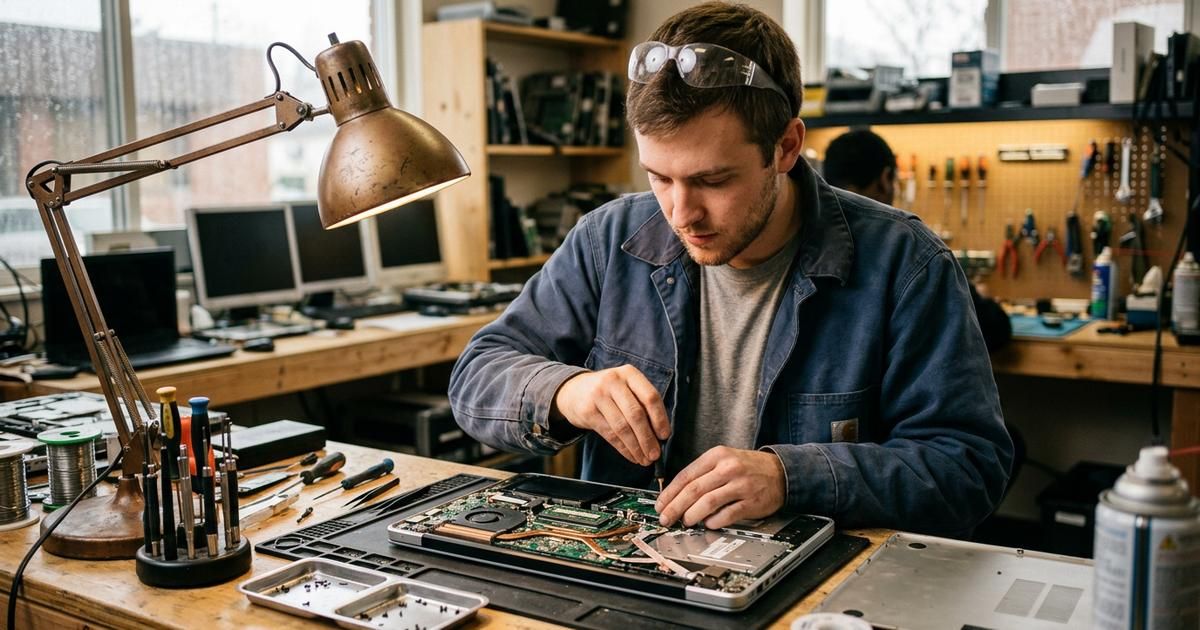
Is it worth repairing old electronics?
Often, yes. Consumer Reports’ rule: don’t spend more than 50 percent of the cost of a new product repairing an old one. In Missouri, two local facts tilt the math: repair labor listed separately on the slip is exempt from sales tax, and if you replace, state law makes the computer’s maker offer a free recycling route.
Keep reading ↓Click, click, whine, nothing. On a kitchen table in St. John, the laptop just died with the baby pictures inside. You press the power button again and hold it this time, harder, like pressure is the fix, and the only thing that answers is the hum of the fridge. Your stomach drops before your brain even does the math.
Here is the math, before anyone at a counter starts talking, and in Missouri it carries two lines most repair advice never prints. One: the bench time on a repair slip, written on its own line, is exempt from Missouri sales tax, while the parts are taxed. Two: if the answer turns out to be “replace,” state law already says what happens to the dead one. Since 2008, a Missouri act has required computer makers to collect and recycle the laptops, desktops and monitors they sell here at no additional cost to households or home businesses. A maker without an approved recovery plan isn’t allowed to sell computers in Missouri at all. Under both sits Consumer Reports’ one-sentence rule: don’t spend more than 50 percent of the cost of a new product on repairing an old one.
The company that built your dead laptop owes you a free way out, and the state keeps the list. But the baby pictures come first. Don’t recycle, trade in or hand over a machine until the photos are off it: if it still boots, copy them to a thumb drive tonight; if it doesn’t, tell the repair shop the data matters more than the hardware, before anyone opens the case. Then, for the leftovers, residents of St. Louis City, St. Louis County and Jefferson County can book a Household Hazardous Waste drop-off at hhwstl.com, or call 314-615-8989 in the county and 314-622-4800 in the city.
Is it worth repairing old electronics?
The half-price rule is national. The slip you hold it against is written in Missouri, and so is the calendar.
Now run it the Missouri way, standing at the counter, quote slip warm from the printer, laptop face-down on the rubber mat between you and the tech. Pull up the same class of laptop new on your phone, not the fanciest one, and cut that price in half. Clearly under it? Fix it, and keep the machine that already knows your passwords and that sticky key you hit twice. Close to half? Then check the calendar on your phone, because Missouri law can move the line.
Under Section 144.049 of the Missouri statutes, from 12:01 a.m. on the first Friday in August through that Sunday, personal computers and computer peripheral devices up to $1,500 ring up at a sales tax rate of zero percent, state and local. So a borderline quote in late June is a different decision than the same quote in October, when that weekend is most of a year off. In June, a cheap battery or a cleanup that limps the old machine to that August weekend can beat a big repair. In the fall, age breaks the tie instead: young device, fix it. Old one, walk.
The free exit most people pay to avoid
When the numbers say replace, the old machine usually ends up in a closet, still holding everything you ever saved on it. Get it out of the house properly. The Missouri Department of Natural Resources keeps a Registered Computer Equipment Manufacturers List: find your brand, click its How to Recycle button, and you land on that maker’s approved recovery plan. Some offer mail-back, some point you to collection sites. The covered gear is a household’s laptops, desktops, monitors without a TV tuner, and the keyboard and mouse that came with them.
The heavy stuff has its own door. That old tube TV in the basement, the one with the wood-grain sides that takes two people and a bad back to lift, is what recyclers call a negative value item. CRT monitors and TVs contain leaded glass, and disposing of them safely costs money. St. Louis County residents get a break here: municipal e-recycling events funded by a St. Louis County Department of Public Health grant let county residents recycle up to two negative value items per vehicle for free. Think weekend parking lot, orange vests, a line of hatchbacks with their trunks popped. Watch your city’s newsletter for the next one and load the trunk the night before.
Live in the city? The City of St. Louis Recycling Program collects electronics on scheduled bulk pick-up days, and its list of accepted gear reads like a basement inventory: VCRs, DVD players, cassette decks, even Betamax players. For everything else, those Household Hazardous Waste facilities take drop-offs by appointment.
Before any of it leaves your hands, back it up and wipe it. A dead laptop is still a box of your life.
How much does electronics repair cost in St. Louis?
Start with the one line on the bill Missouri already decided for you. The Missouri Department of Revenue’s tax matrix for computer repair shops lists “Labor separately stated for repair and personal service” as exempt from sales tax, while the replacement parts are taxable. So a St. Louis repair slip should show two lines: the battery or screen, taxed, and the bench time, on its own line. Handed one bundled total? Slide it back across the counter and ask them to split it. Thirty seconds of a clerk’s time, and it’s the one number in the whole visit you control.
The rest depends on the part, and the honest answer is a quote, not a chart. You’ll know a good one when you see it: the tech turns your phone over under a bright lamp, names the part, and writes a number before touching a single screw. The cheap end of the menu is batteries, charging ports, fan cleanings and software cleanup. The middle is cracked screens. The top is anything touching the motherboard, water damage and data recovery from a failed drive, because the parts are pricey and the labor is slow and delicate. Get the diagnostic fee in writing before anyone opens the case.

Screens, batteries and the crumbs in your keyboard
Screens and batteries top every shop’s list. A phone slides off the couch arm onto the tile, a laptop lid gets crushed in a stuffed backpack, and the glass turns into a mosaic. Batteries go quieter: every rechargeable cell fades, and a laptop chained to its charger is telling you about the battery, not the whole machine.
The rest is mostly wear and grime. Charging ports loosen after thousands of plug-ins. Keyboards lose keys to cracker dust and a tipped coffee. Fans choke on lint until the bottom of the laptop is hot enough to notice on your legs and the whole thing throttles itself. And a cluttered drive or a lurking virus fools plenty of people into buying new hardware when a cleanup would have done it. If your gadget feels tired, the fix is often smaller than you fear.
A fixed laptop you can barely use is still a paperweight. Here’s where St. Louis learns to drive one.
Ten minutes at the kitchen table before you drive anywhere
The best repair visits start at home, with the device face-up on a dish towel and a notepad next to it. Write down exactly what happened and when: the drop onto the driveway, the spilled sweet tea, the night it started running hot. Techs hear “it just stopped” all day, and a clear story can shave real time off the diagnosis you’re paying for.
Then find the model number. On most laptops it’s on a sticker underneath, small enough that you’ll want your phone’s flashlight. On phones it lives in the settings menu. With that number you can price a comparable new device in two minutes, which is the other half of the 50 percent test, and you walk in already knowing your line.
If the machine still turns on, back it up tonight, not tomorrow. Plug in an external drive or sign in to the cloud account you already pay for and let it run while you do the dishes. If it won’t turn on, tell the shop up front that the data matters more than the hardware. That one sentence changes how carefully a good tech opens the case.
Last, bring the charger. Plenty of “dead” laptops turn out to be a frayed cord or a loose port, and you want the shop testing your exact setup, not a borrowed one. Then ask three things before you sign anything: what the diagnostic costs, whether it’s credited toward the repair, and how long the warranty runs on the fix. Write the answers on the same notepad. If a shop won’t put them in writing, take your towel and your laptop and try the next one.
When should you replace instead of repair?
Replace when the fix creeps past half the price of new, when the device has already failed more than once, or when it can no longer get security updates. That last one is the quiet deadline. Microsoft ended Windows 10 support on October 14, 2025, which means no more security fixes for those PCs. If your laptop can’t upgrade to Windows 11, a big repair is money poured into a machine with an expiration date stamped on it. Ask the tech whether your model can run Windows 11 before you approve anything big.
Watch for the cascade, too. One part fails, then another a few months later. That is the device telling you it’s tired, and even a fair quote is money better saved toward the next one.
How do you find a repair shop you can trust in the St. Louis metro?
Look for clear pricing, a written warranty on the work and recent reviews from neighbors. A good tech diagnoses before quoting, explains the problem in plain words, and tells you when replacing beats repairing, even though it costs them the sale. That honesty is the whole game. The same reflexes that help you pick a plumber apply here, which is why our must-know tips for finding top home repair services travel well from the furnace to the phone.
Homeowners run this exact fork on a furnace every winter, and the logic barely changes when the device is a laptop instead of a condenser. Our HVAC repair-vs-replace guide walks the same decision end to end.
And our step-by-step guide to top home services covers how to vet any pro before they touch your stuff. Then ask the shop two questions out loud: could this repair wipe my storage, and can you recover data if it does? A straight answer to both tells you most of what you need to know.
Frequently asked questions
Is it cheaper to get a laptop fixed or replace it?
Usually cheaper to fix, as long as the repair stays under half the price of a comparable new laptop. A battery, keyboard or screen swap almost always wins. Once the quote climbs toward the price of new, or the laptop can’t get security updates anymore, replacing tends to win.
How expensive is it to repair a laptop?
It depends on the part. Batteries, keyboards, fans and memory upgrades sit at the friendly end. Cracked screens cost more, and motherboard work is the priciest because the parts are costly and the labor is delicate. Data recovery is its own charge. Ask for the diagnostic fee and the quote in writing.
What is the most common laptop repair?
Screen and battery replacements. Screens crack from drops and pressure, and every rechargeable battery fades until the laptop can’t hold a charge. After those come keyboards, fan cleanings for overheating and charging ports. Software slowdowns are common too, and often mistaken for a hardware failure.
Why are electronic repairs so expensive?
Parts are often proprietary and priced high, especially screens and boards. Modern devices are glued, sealed and packed tight, so the labor is skilled and slow. Diagnosis takes time before any fix begins. Put together, even a small repair carries real cost behind it.
Should a 7 year old laptop be replaced?
Usually, unless the fix is small and cheap. Check the software first: Windows 10 support ended on October 14, 2025, so a machine stuck there no longer gets security fixes. A battery or drive swap can stretch a laptop that can still update. A big repair on one that can’t rarely pays.
What is the average lifespan of a laptop?
Most experts place it at three to five years. Batteries and cooling fans usually wear first, followed by aging software support. Lighter use, good airflow and the occasional cleanup add time, and business-grade machines often outlast budget ones.
Get the quote in writing, then do the half-price math. Compare electronics repair shops across the St. Louis metro on St Louis Near Me Directory and let the number make the call.
If you’re the repair bench, the phone fixer or the one-person laptop shop, the people holding a dead machine tonight are your next customers. They’re asking Google and ChatGPT who to trust before they ever drive over. Put your shop where those customers are looking.

Written by a dedicated team of St. Louis locals who live, work, and play right here in the St. Louis metro. Founder Lane Forman and team are committed to building the region’s most trusted directory by verifying listings and connecting local businesses with loyal customers across Missouri and Illinois.